01 · Agents
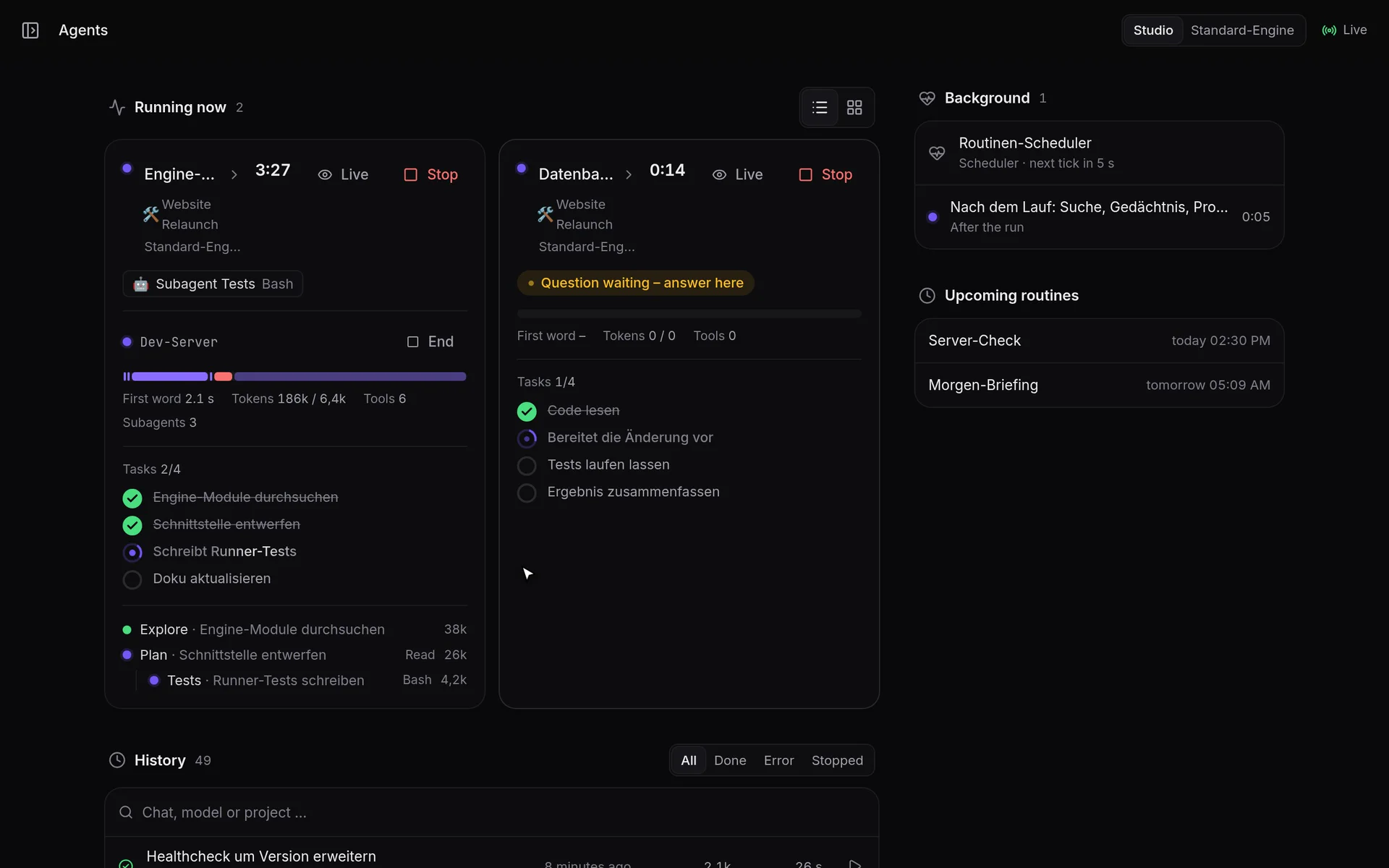
Agents with task planning.
Several agents work in parallel, plan tasks and use tools. When a decision is needed, they ask. Every step stays traceable.
- Parallel runs
- Routines
- Questions
A network of specialised AI agents for Discord, complemented by Mercy Studio X: a private workspace for chat, code and projects.

Mercy Studio X
Chat, projects, code, hosting and your Discord servers in one place. Access by invitation.
01 · Agents
Several agents work in parallel, plan tasks and use tools. When a decision is needed, they ask. Every step stays traceable.
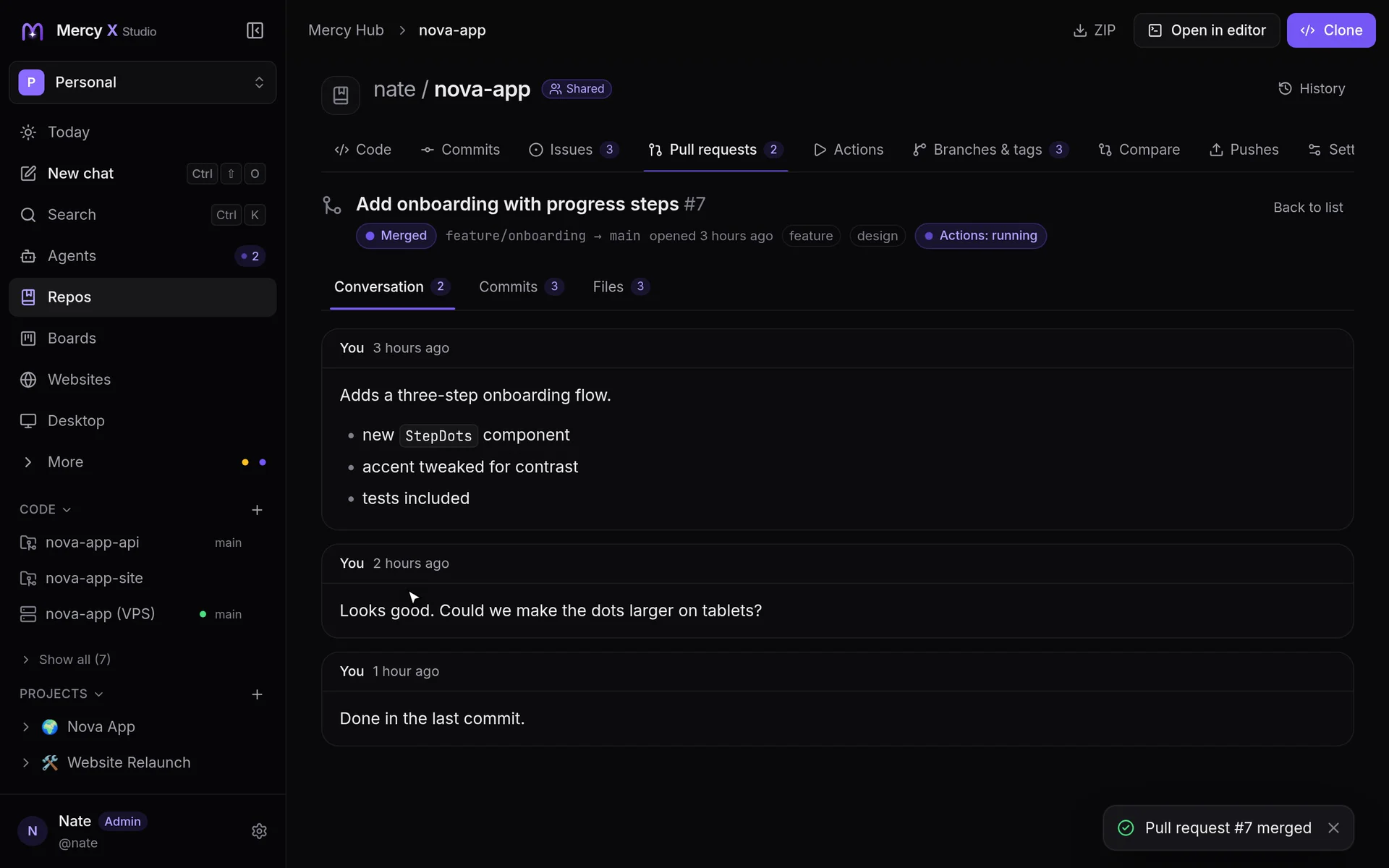
02 · Mercy Hub
Repositories, branches, pull requests and actions in Mercy Hub, hosted on your own server.
03 · Workspaces
Every project comes with a terminal, logs and deployments. Start, restart and roll out containers without leaving the environment.

04 · Websites
Describe the page and Mercy builds it. Every branch gets its own preview before anything is published.

05 · CLI
The CLI brings the studio to your shell: start agents, clone repositories, ask questions.

Mercy X for Discord
Rather than one AI for everything, agents with fixed roles work together. This is what they handle on your server.
Mercy answers team questions and backs them with references from your server.
A notice first, then a timeout. Traceable and logged.
Asks for missing details and redacts sensitive data.
Responds to the wake word “Mercy, …” in the voice channel.
Local, visibly announced, with an opt-out at any time.
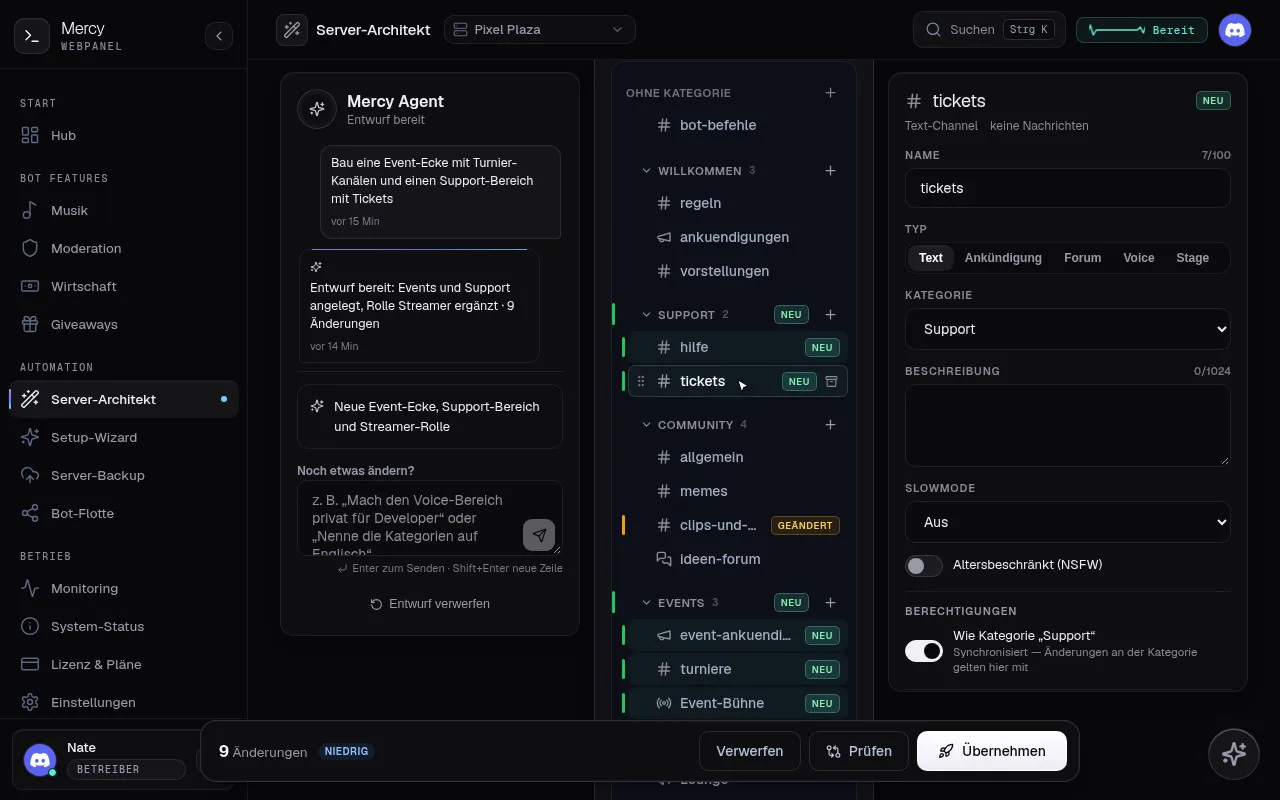
Describe, review the preview, apply. Every change can be reverted.
teamExample
NoahLTR
@Mercy what did we decide on server rule 4?
MercyAPP
Decided on 12 Oct:Ads only in #partners – warn first, then timeout.Shall I note this as an item for the minutes?
#meetings · 12 Oct#rules-draft
Item rule 4 added to the minutes.
Recreated scenes with fictional names.
Managed in the studio
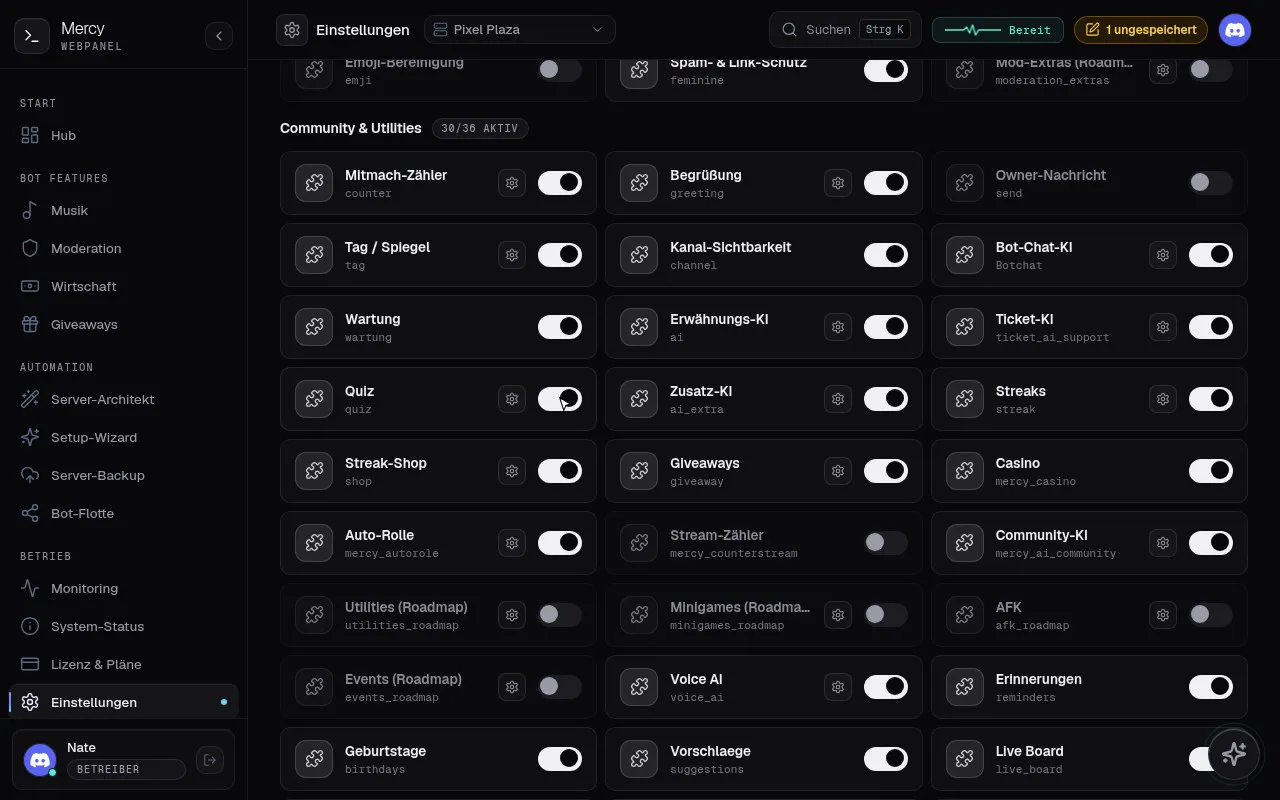
51 modules, each switchable per server. Configuration, permissions and backups in the browser – without a single command.
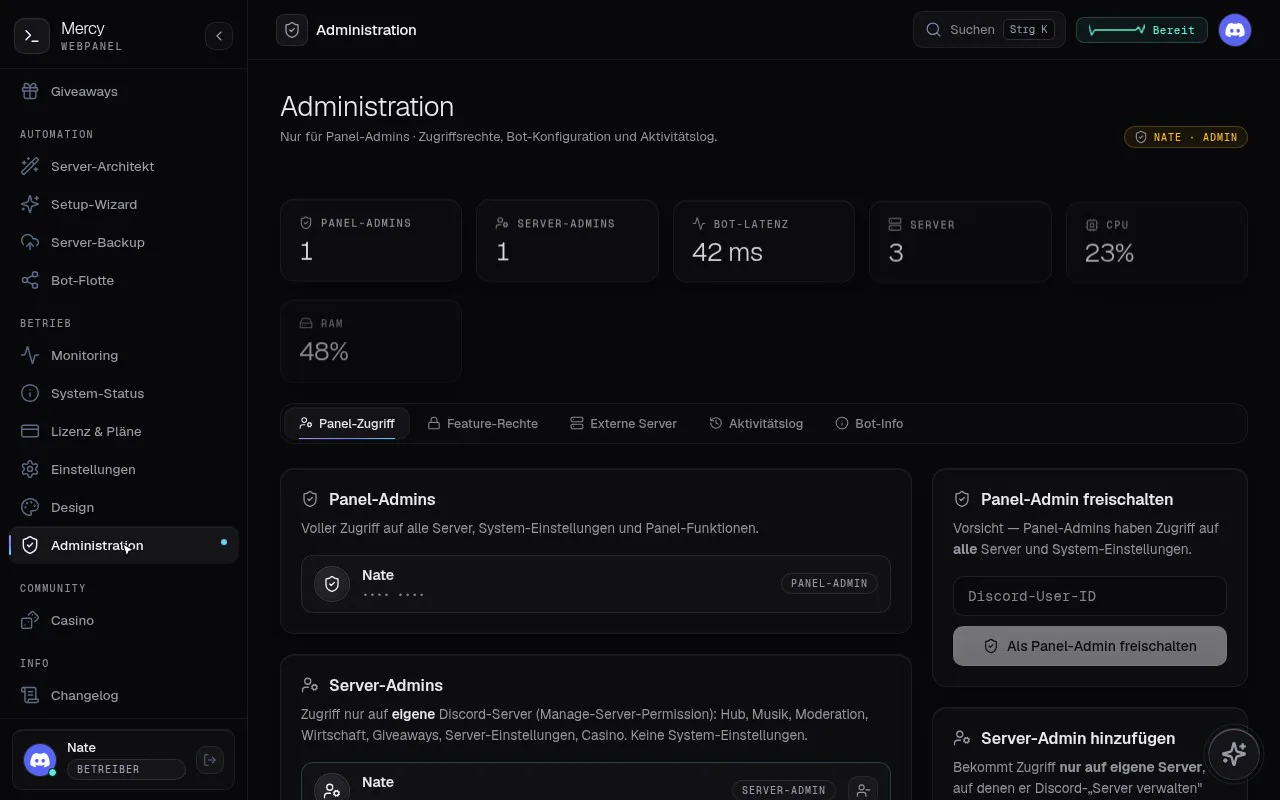
Every function can be turned on or off per server. You see changes before they are saved.
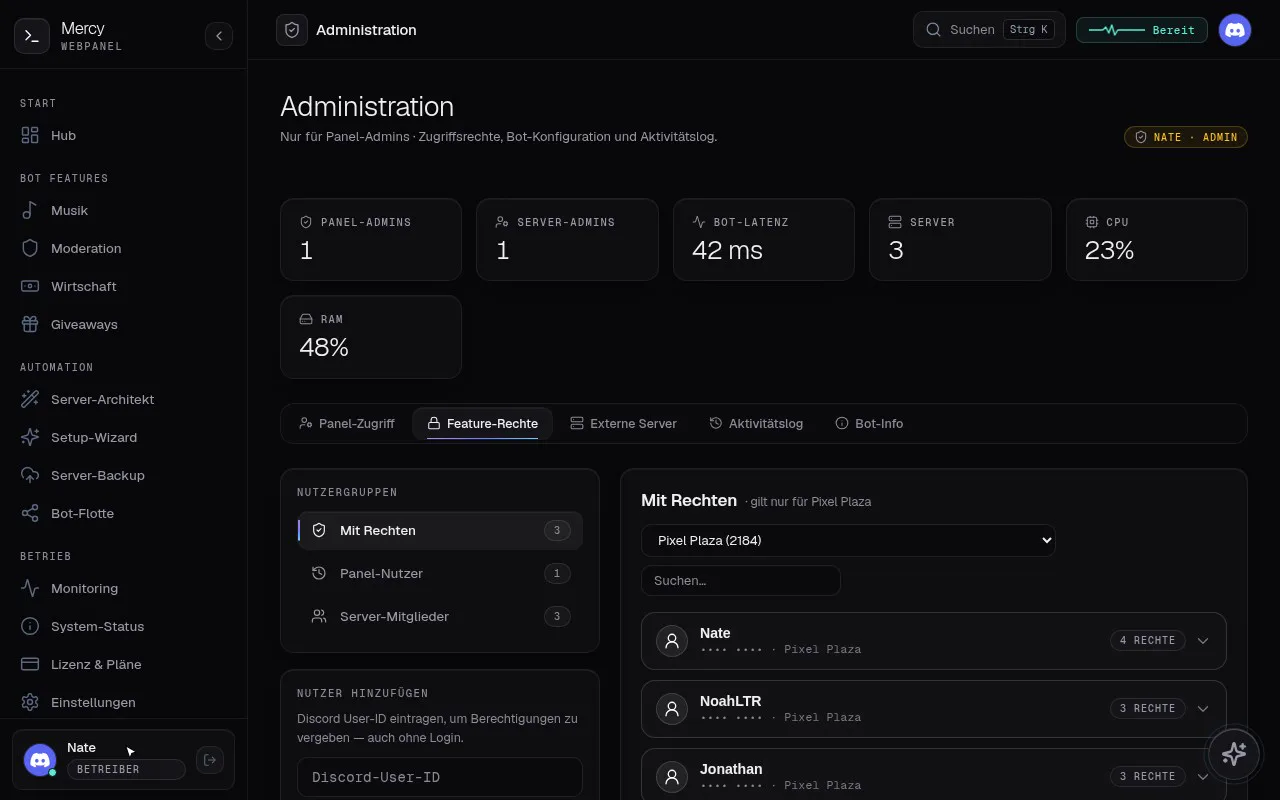
Each server manages its own permissions. Nothing reaches across servers.
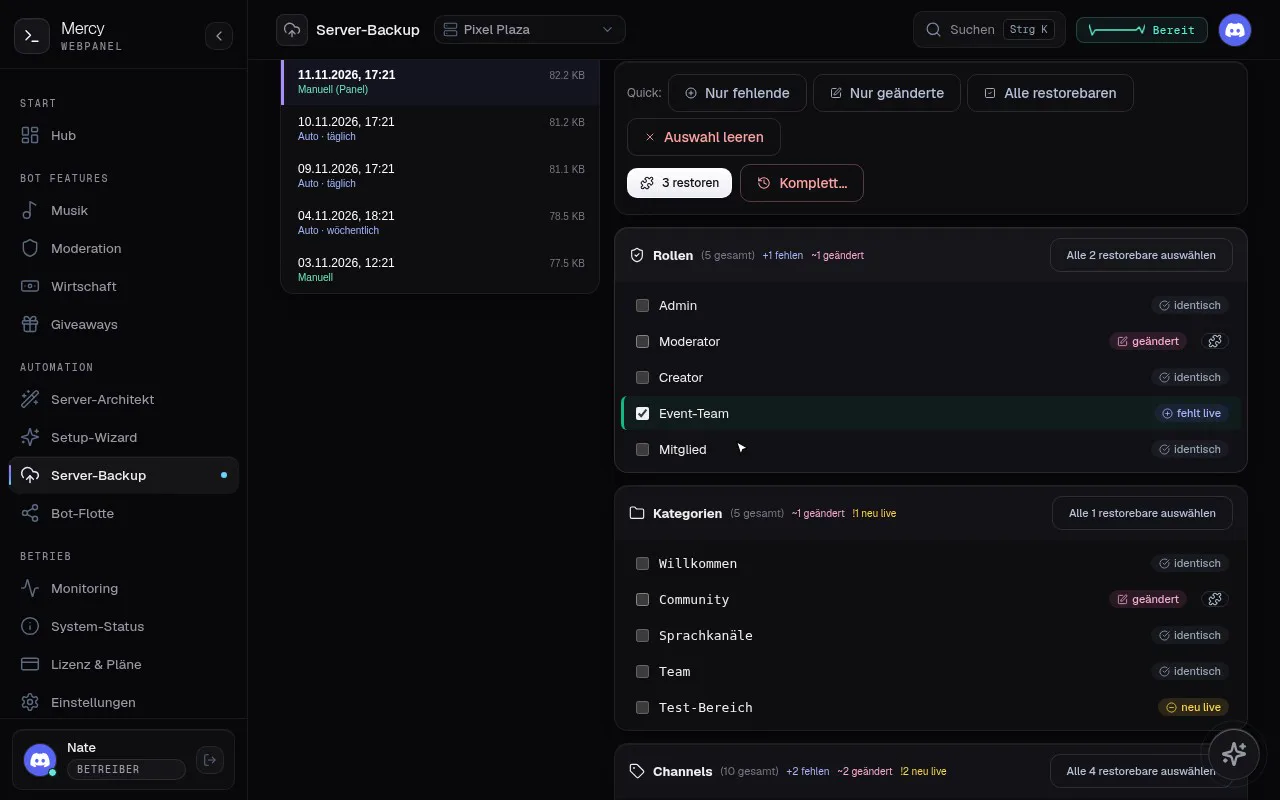
Back up and restore, stored encrypted.
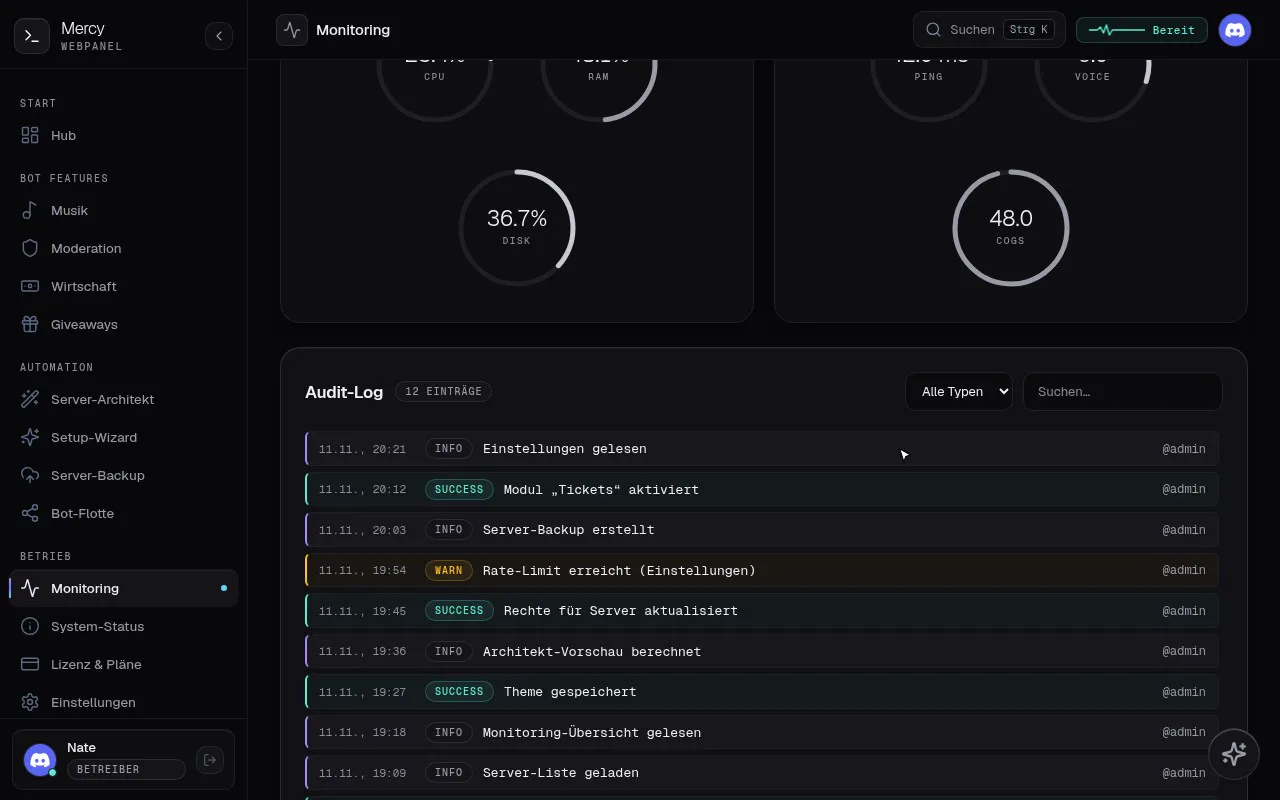
The state of every service at a glance.
Principles
Talks are transcribed on your own hardware. The audio never leaves the server.
Recordings are announced visibly. One click is enough to opt out.
Activity tracking was removed on purpose. This website uses no cookies, trackers or external services.
Mercy runs on selected servers, and the studio is private.
Mercy for your community, or a seat in the studio? Message the operator on Discord and tell them briefly what you have in mind.